Built on the generic builder
Quoting software
for trades
Concreters, tilers, fencers, landscapers and everyone else, on a builder you shape to your own line items.
$45/month flat, unlimited users, unlimited quotes
Try it
Tap what's on the job.
Exposed aggregate driveway
60 m2
$7,200
Reinforcing mesh
60 m2
$720
Labour
10 hrs at $95
$950
Materials and labour
split, always
Quote total
$8,870
Illustrative figures on your own rates. The items and units are the real ones this builder asks for.
Why trades switch
Where the money
actually goes
Most trade software is built for one or two trades and everyone else gets the leftovers: a blank form, someone else's units, and a monthly bill that goes up when you hire someone.
SwiftScope gives you a builder you define yourself, on a pricebook and packages you control, at the same flat price no matter how many people are on it.
What generic job software gets wrong
- Templates built for plumbing and electrical, with your trade squeezed into the nearest fit
- Per-user pricing that makes hiring an apprentice a software decision
- Per-job credits, so your busiest month is also your most expensive
What we ask for instead
Line items and units you define yourself.
- Your own line items, units and rates, saved to a pricebook you control
- Reusable packages for the jobs you quote week in, week out
- Materials and labour split, so margin is visible before you send
- The same variations, deposits and invoicing as every dedicated builder
Getting started
Set up in minutes,
not a fortnight
The reason most tradies never finish setting up job software is the data entry nobody warns them about. SwiftScope starts from the price file your supplier already sends you.
Upload whatever price file your supplier sends. SwiftScope reads the columns itself, so you are not remapping a spreadsheet before you can quote.
Save the job you quote most often as a package. After that it is one tap, not a rebuild.
Your hourly rate, margin and terms become the baseline on every quote. Change them once and everything after follows.
Example package
Your most repeated job
Whatever you quote every week, saved with its materials, labour and allowances, and dropped into a quote in one tap.
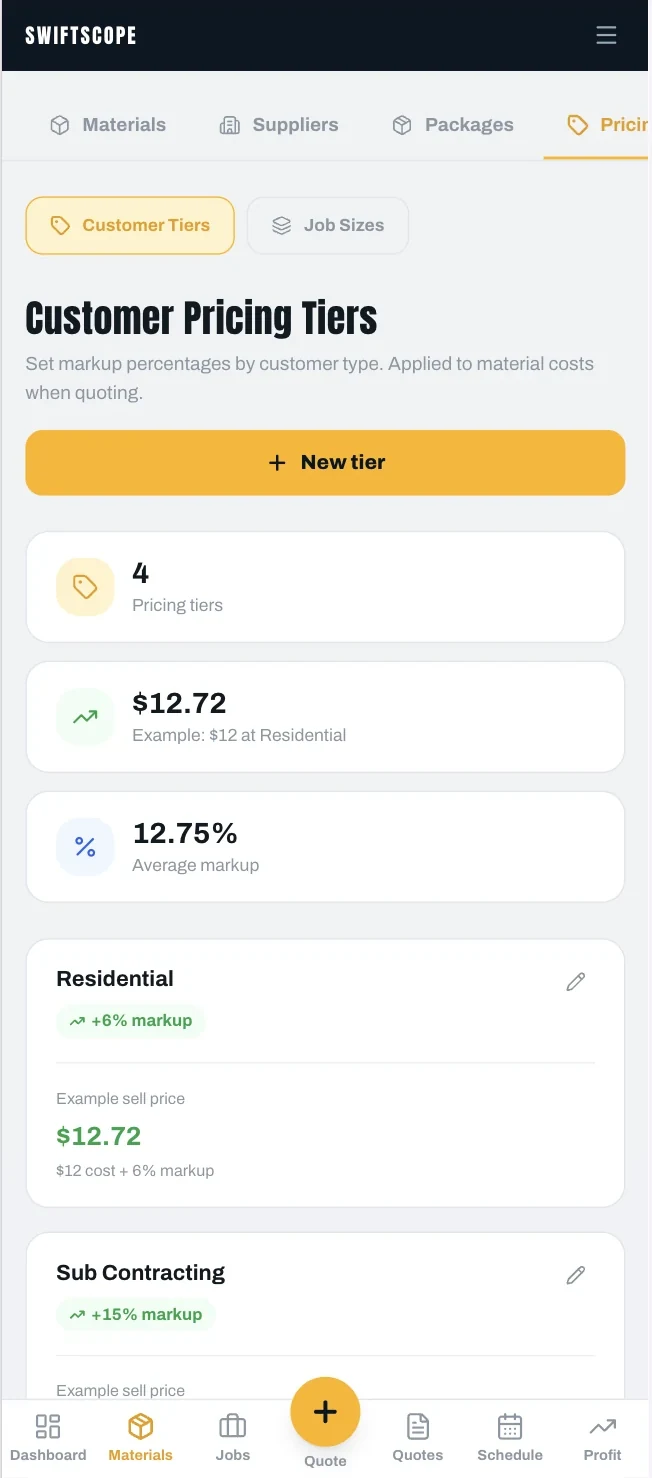
+6%
Residential markup, set once
Materials and labour stay split, so a supplier price rise shows up in your margin instead of hiding in it.
How the quoting works
Quoted before you
leave the driveway
The quote that wins is usually the one that arrives first, while the job is still fresh in the client's head. Everything below happens standing in the job, on a phone, one handed.
Define your line items
Your units, your rates, saved to a pricebook you own.
Price from the book
Current material costs and your labour rates, not a number from memory.
Reuse your packages
The jobs you quote most often, built once.
Send from site
Priced and emailed before you have left the job.
Against a spreadsheet: no hunting for the last similar job, no retyping client details, no formatting. Against a desktop tool: no waiting until 9pm, which is the real reason quotes go out late or not at all.
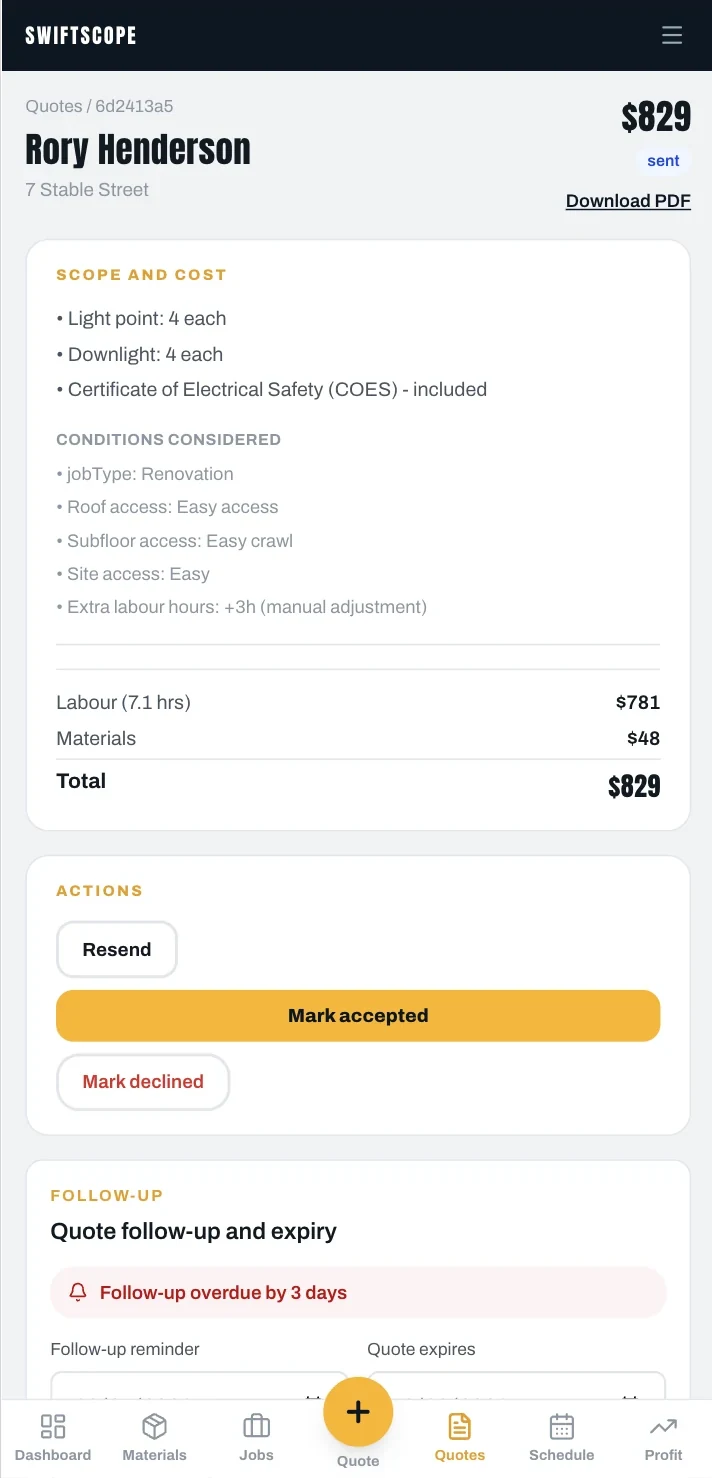
$829
Sent - follow-up overdue 3 days
AI that knows your trade
Two ways in, both on site
SwiftScope runs a different prompt for each trade, so it is reading your plan and listening to your description with your work in mind. You confirm every number before it reaches a client. The AI drafts, you decide.
Mark up the drawing
Upload a plan or a site photo, mark it up, count what matters for your trade, and carry the quantities into the quote.
Or just talk
Describe the job out loud, walking the site. SwiftScope turns it into priced line items you can correct before sending.
"Sixty square of exposed aggregate on the driveway, mesh and pump, plus twelve metres of edging down the side."
Variations that stick
Whatever the site turns up once you start. Raise it, get it signed, keep the original quote clean.
After they say yes
The quote becomes
the job
Scheduled, tracked against estimate, variations signed on site, invoiced and pushed to Xero. The same flow every dedicated trade gets.
Nothing is retyped between quote, job and invoice, which is where most double-entry and most disputes come from.
Schedule and crew
Put the job in the calendar, assign who is on it, and see the week on a map so you are not crossing town twice.
Dockets and variations
Day works signed on the spot on the client's phone, and variations accepted in writing before the extra work starts.
Invoice and Xero
Deposits, progress claims and final invoices built from the quote, pushed straight to Xero rather than exported and re-keyed.
Margin, job by job
Hours and materials tracked against what you quoted, so you find out which jobs make money while you can still do something about it.
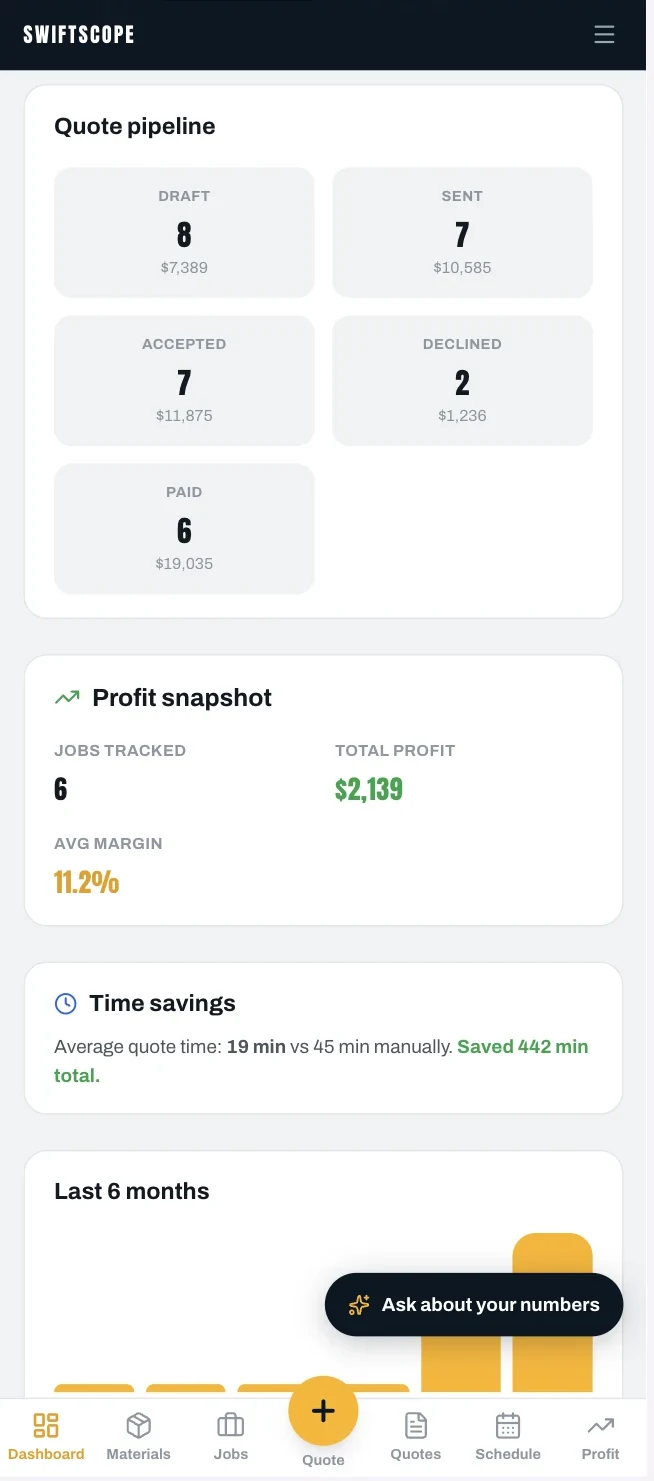
$2,139 profit
Tracked automatically across jobs
$45 a month. That is the whole price.
No per-user fee, so putting your apprentice on it costs nothing. No per-job credits, so a flat-out month costs the same as a quiet one. No per-lead charge on directory enquiries.
Start your free trial